Skip to main content
Set Default Apps in Windows 10
Changing Default Email & Browser Apps
Watch Video
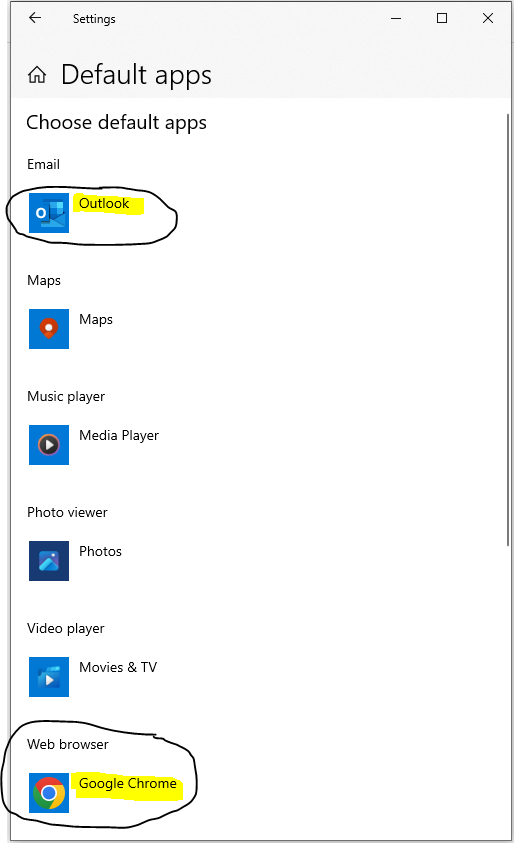
- Click the Windows button.
- Type: default.
- Click “Default apps”.
- Change “Email” & “Web Browser” by clicking on them and choosing your preference from the list.
Setting Adobe Reader as Default App for PDFs
Watch Video
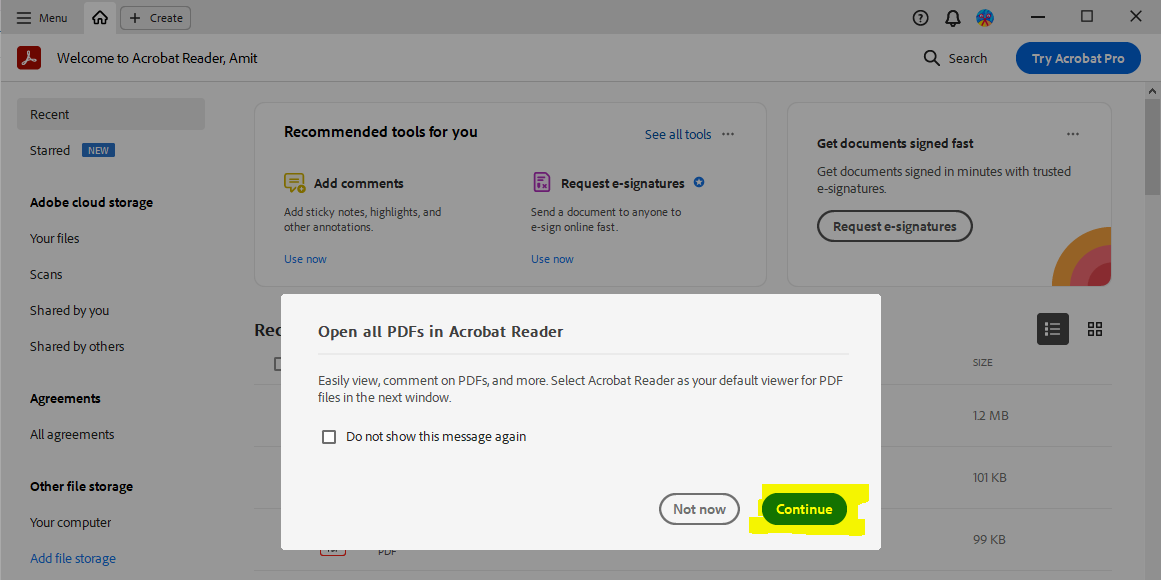
- Click the Windows button.
- Click on “Adobe Acrobat”.
- Wait 7 seconds for the prompt.
- Click “Continue”.
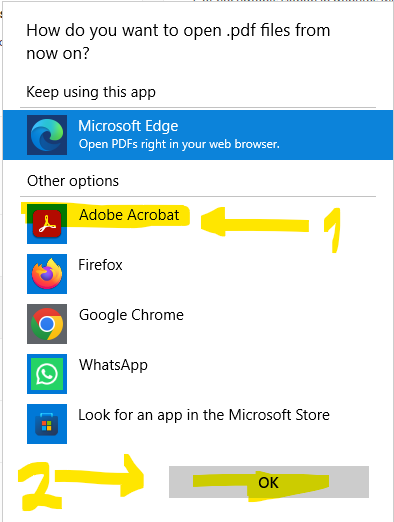
- Select “Adobe Acrobat” + OK.
Open Links from Outlook in Default Browser:
Watch Video
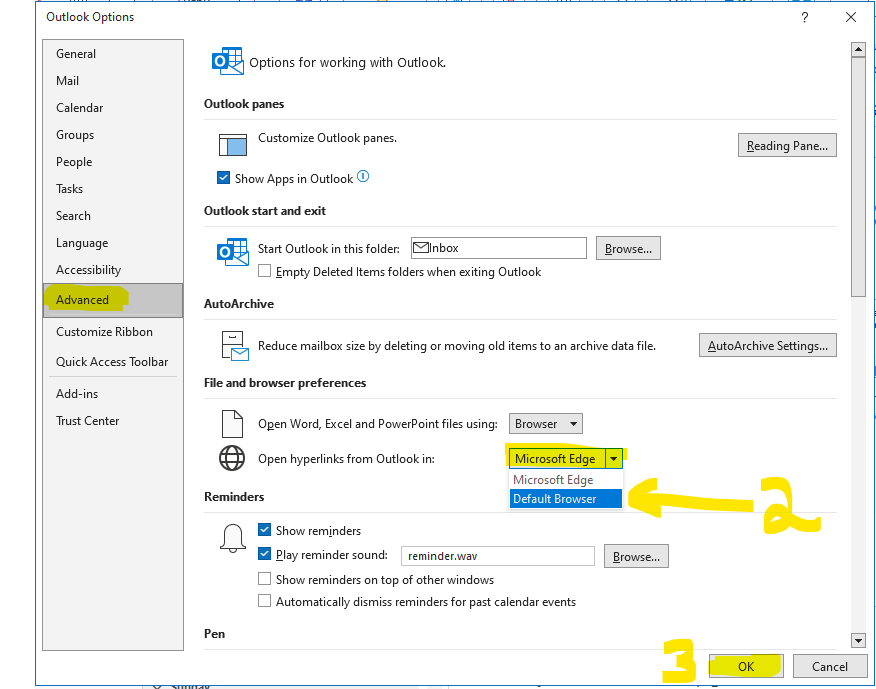
- Open the Outlook app.
- Click on “File” on top menu.
- Click on “Options” on left menu.
- Click on “Advanced” on left menu.
- Find: “Open Hyperlinks From Outlook In”.
- Change the drop-down option from “Microsoft Edge” to -> “Default Browser.

Comments
0 comments
Please sign in to leave a comment.